Howfolio

For Chrome · No account · Pay once

Step-by-step guides that stay on your computer.

Do a task once in your browser. Howfolio writes each step, takes the screenshot and highlights what you clicked. Tidy it up, blur what's private, and export a guide your team can follow.

Coming soon to the Chrome Web Store See pricing

Free for up to 5 guides. One payment unlocks the rest.

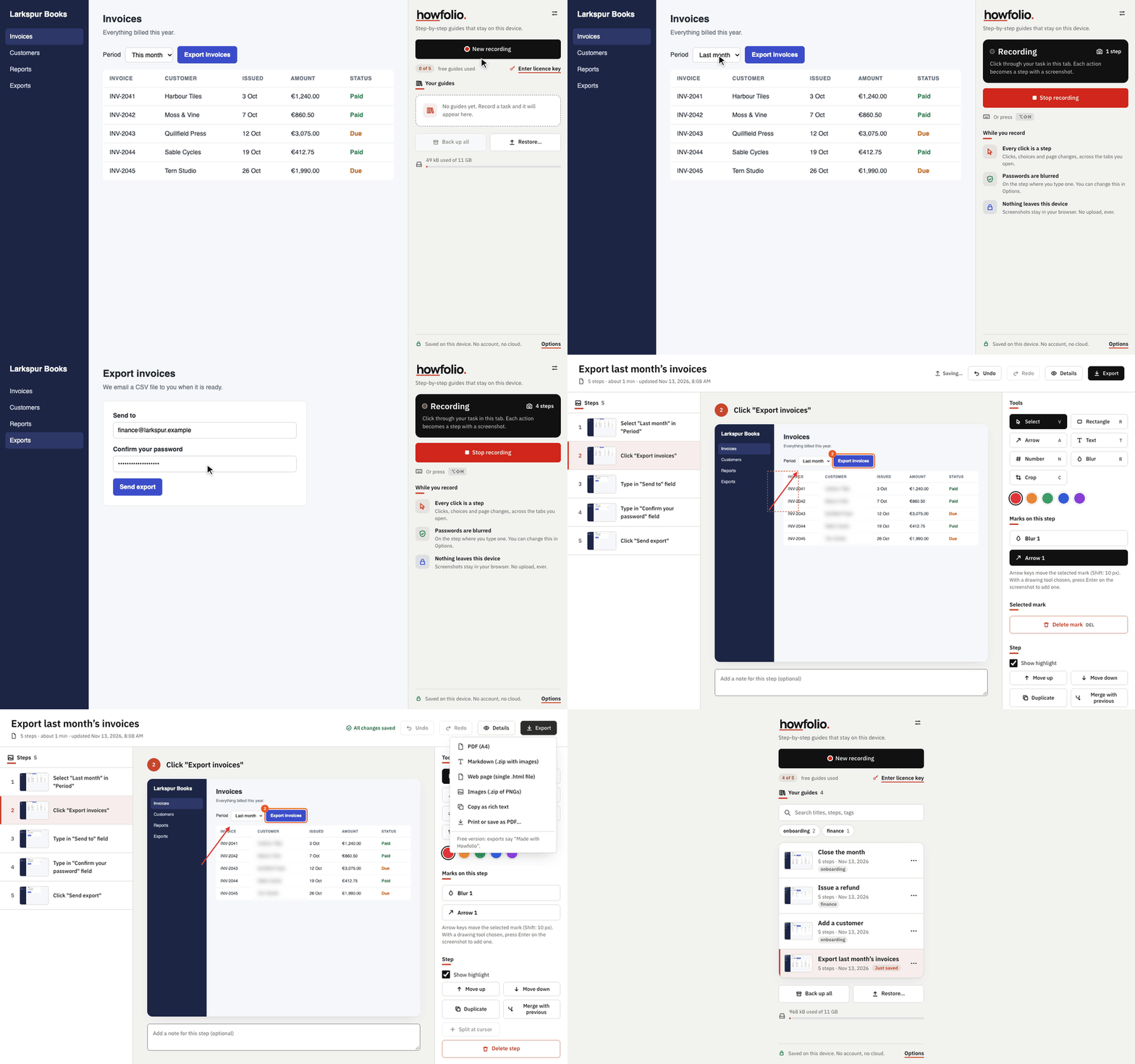
A recording of Howfolio: a task in a web app is recorded step by step, edited with an arrow and a blur, and exported as a web page.

How it works, as a Howfolio guide would put it

Three steps. The screenshots below were made with Howfolio itself, on a made-up accounting app.

Click Record and do the task

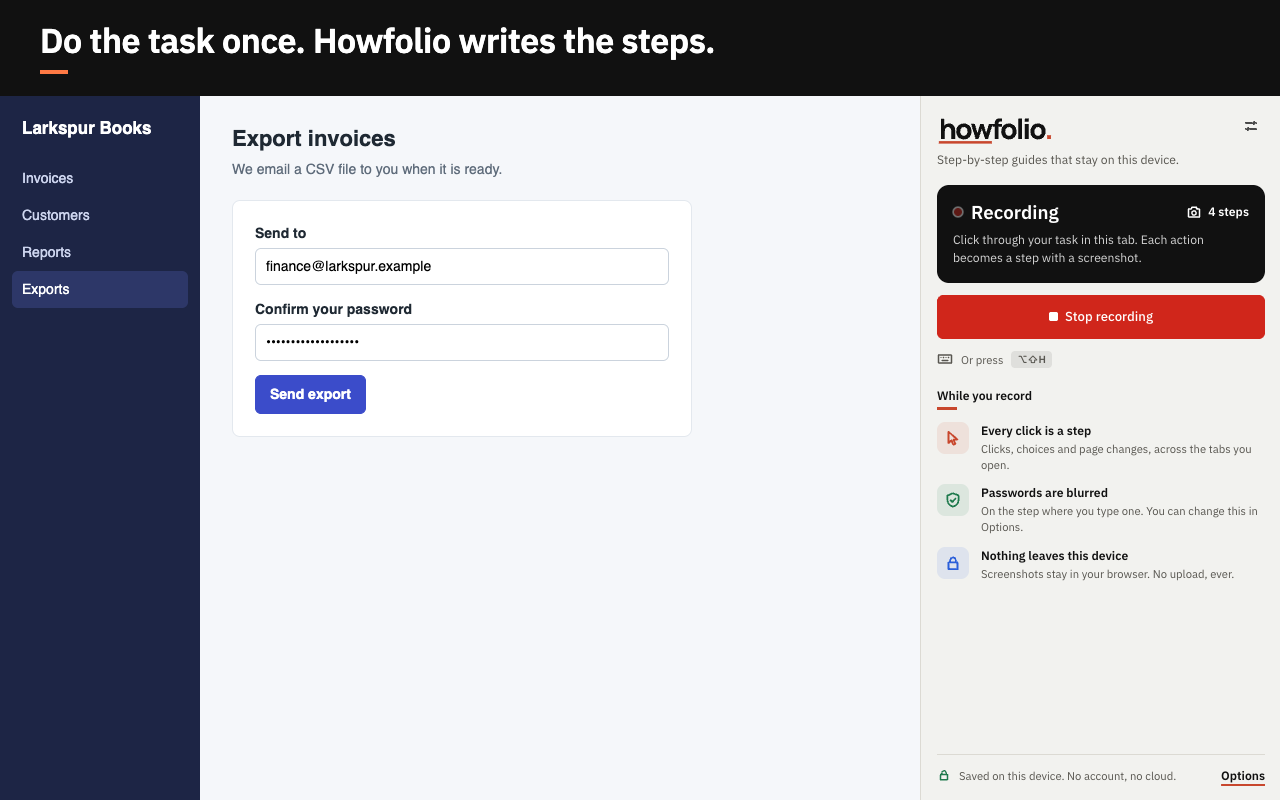
Each click, choice and page becomes a step with a screenshot and a sentence such as Click "Export invoices". It follows you across tabs you open on the way.

What you type is not saved as text: a step says which field you typed into. Screenshots show the page as it is, so check them before you share.

Recording in progress: a web app on the left, Howfolio's side panel counting the steps on the right.

Make it right in the editor

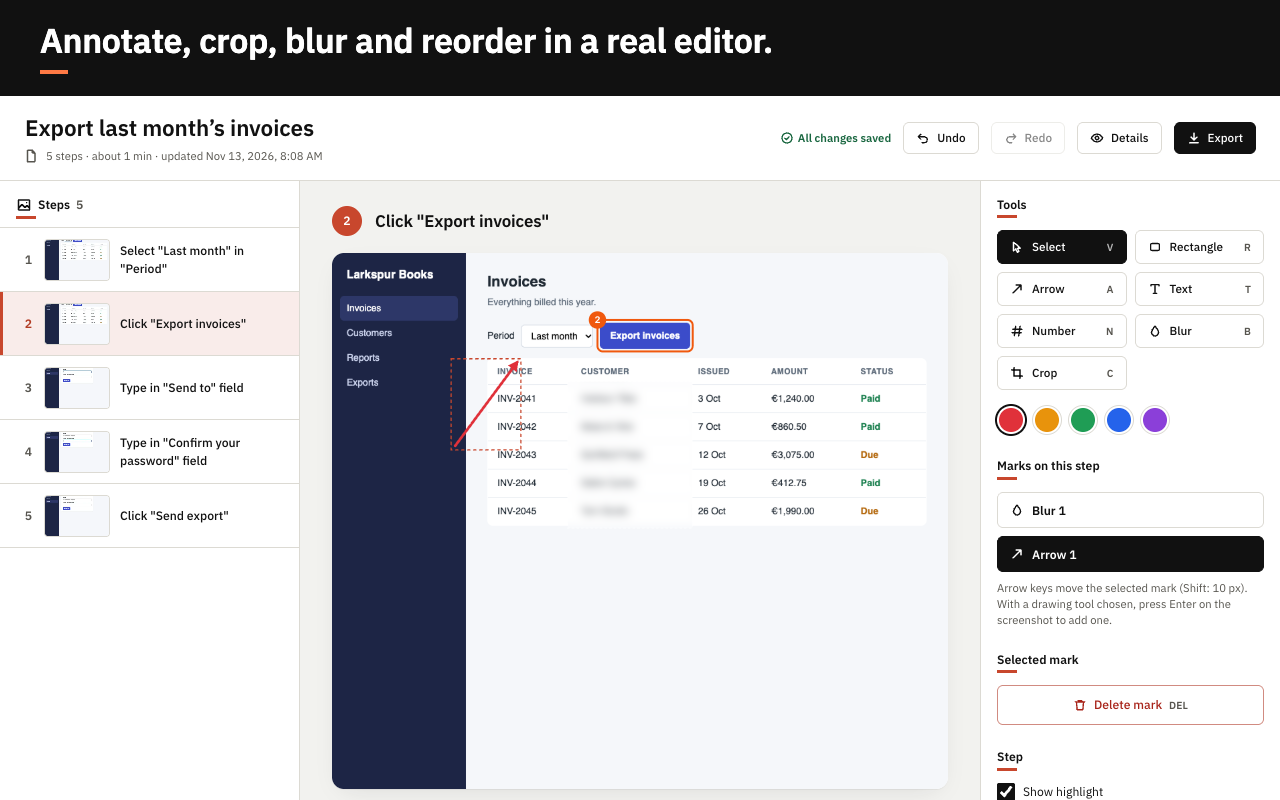
  • Rewrite steps, add notes, headings and steps of your own
  • Arrows, boxes, numbered badges and text callouts
  • Crop, reorder, merge, split, and undo
  • Blur anything private. On the step where you type a password, the field is blurred for you
The Howfolio editor: a list of steps, the selected screenshot with an arrow and blurred customer names, and the tools.

Export it the way your team works

  • PDF, ready to print or send
  • Markdown with images, for wikis and Git
  • One web page file that opens anywhere, offline
  • A zip of numbered PNG images
  • Rich text with images, to paste into your docs

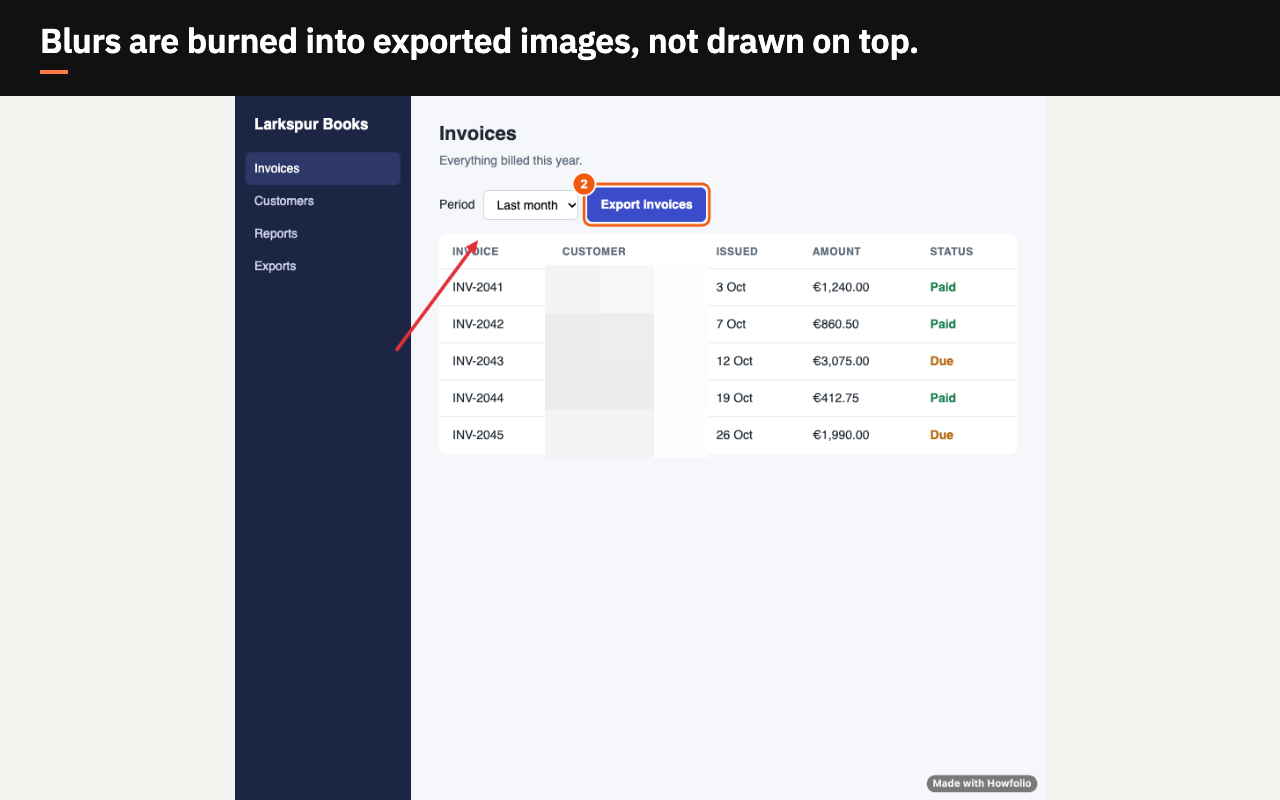
Blurs are burned into exported images: the pixels underneath are replaced, not covered.

An exported step image in which the customer names are pixelated beyond reading.

Your screenshots show your systems. They stay with you.

Guide tools that store your guides in their cloud upload screenshots of internal tools, customer records and admin screens. Howfolio has no cloud and no account. Guides live in your browser on this device, and a backup is a file you keep.

Here is the full list of what Howfolio sends over the internet. It is checked by an automated test that sends the extension's own traffic through a recording proxy.

Read the privacy policy

Everything Howfolio sends

All of it, for every user

Free version
Nothing. No requests at all.
To api.lemonsqueezy.com, with a licence
Activating: your key and a label such as "Chrome-1a2b3c4d".
Checking: your key and the activation's id, at most once every 30 days (or a day after a check that got no answer).
Removing: your key and the activation's id, to free it.
Like any web request: your IP address and browser version.
Your guides and screenshots
Never sent anywhere.

Analytics, tracking, telemetry: none

Pay once. Not per seat, not per month.

Try everything for free. Buy a licence when it earns its place.

Free

$0

  • Up to 5 guides
  • Every feature and every export format
  • Exports carry a small "Made with Howfolio" label

Coming soon to the Chrome Web Store

Payment and licence keys are handled by Lemon Squeezy.

Questions

Which browsers does it work in?

Google Chrome, version 116 or later. It records web pages in your browser, not desktop apps.

Do I need an account?

No. There is nothing to sign up for. A licence is a key you paste into Howfolio's options.

Where are my guides kept, and how do I move them?

In your browser, on this device. "Back up all" saves your whole library, screenshots included, as one file; "Restore" brings it back on any computer (the free version restores up to 5 guides). Keep backups private: they hold your original screenshots, without blurs.

Can it record pages like Chrome's settings or a PDF?

The browser does not let any extension take screenshots of its own pages. Going to one while recording still becomes a step, without a screenshot, and Howfolio tells you.

What happens to my guides if I stop paying?

There is nothing to stop paying: a licence is one payment. If you never buy one, your first 5 guides keep working, and so does everything in them.

What happens if a licence is refunded or disabled?

Howfolio goes back to the free version the next time it checks the key: exports get the label again and new guides stop at 5. Every guide you made stays, and you can still open, edit and export it.